


Quoted to order. Products in this range are sized and priced per project. Tell us what you need and we reply with pricing in two to three business days.
Request a quote Call 1-833-283-7373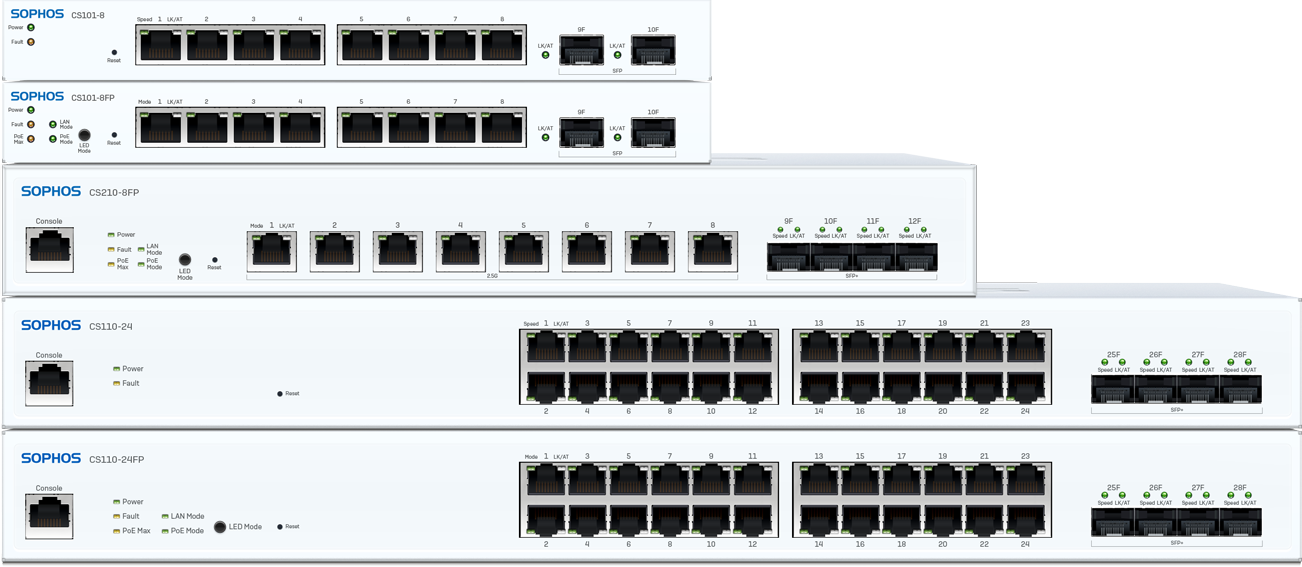
Compare every Sophos switch
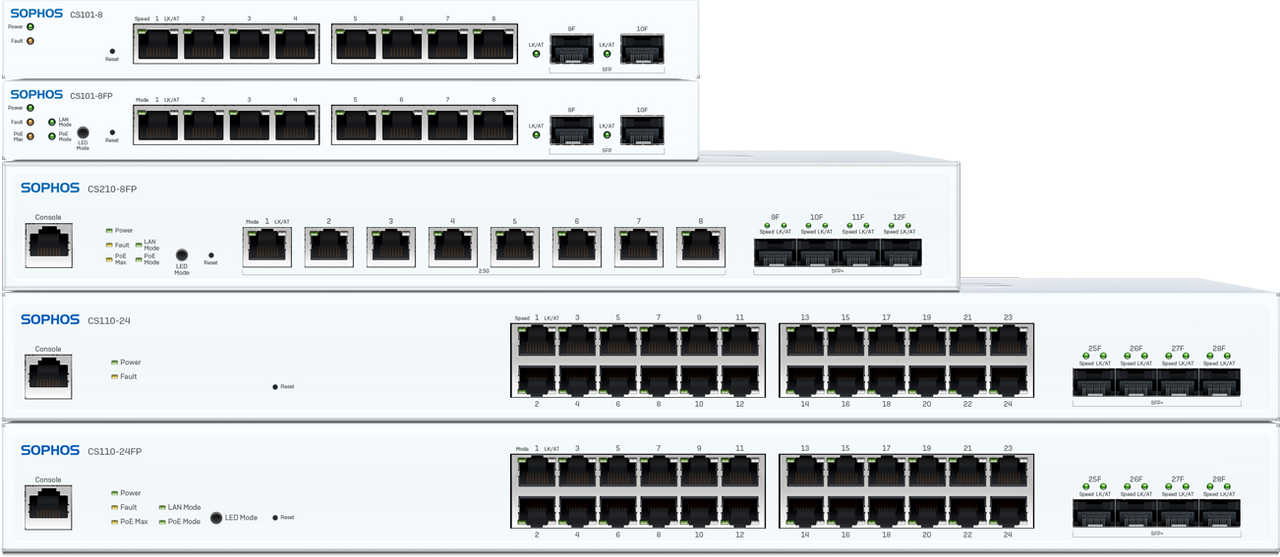
Three series, eleven models. The choice comes down to how many ports you need, how much PoE power those ports have to share, and whether anything you plug in runs faster than a gigabit. All of them are managed from Sophos Fusion alongside your firewall.
100, 200 or 1000 Series
The series sets port speed. The model within it sets port count and power budget.
| 100 Series | 200 Series | 1000 Series | |
|---|---|---|---|
| Port speed | 1GE | 2.5GE | 10GE NBase-T |
| Uplinks | SFP or SFP+ | SFP+ | SFP+ |
| Models | 7 | 3 | 1 |
| Port counts | 8, 24, 48 | 8, 24, 48 | 8 |
| Max PoE budget | 740W | 740W | 410W |
| 802.3bt, 60W | No | CS210-8FP only | Yes |
| Best for | Standard office cabling, phones, older access points | Wi-Fi 6 and 7 access points that exceed a gigabit | The few edge devices needing 10G or 60W power |
A CS110-24FP and a CS210-24FP have the same 24 ports and the same 410W budget. The difference is that eight of the 210's ports run at 2.5G and it switches 152 Gbps against 128. If nothing you plug in exceeds a gigabit, that buys you nothing today and some headroom later.
100 Series, gigabit to the desk
1GE copper with SFP or SFP+ uplinks. The workhorse range for standard office cabling.
| Model | 1G ports | Uplinks | PoE budget | PoE devices15W / 30W | Notes |
|---|---|---|---|---|---|
| CS101-8 | 8 | 2 x SFP | None | n/a | Desk or cupboard, no rack needed |
| CS101-8FP | 8 | 2 x SFP | 110W | 7 / 3 | Enough for a handful of phones or APs |
| CS110-24 | 24 | 4 x SFP+ | None | n/a | 1U rackmount, 128 Gbps switching |
| CS110-24FP | 24 | 4 x SFP+ | 410W | 24 / 13 | Every port PoE capable |
| CS110-48 | 48 | 4 x SFP+ | None | n/a | Density without power |
| CS110-48P | 48 | 4 x SFP+ | 410W | 26 / 13 | 48 ports on a 410W budget |
| CS110-48FP | 48 | 4 x SFP+ | 740W | 48 / 24 | Full PoE across all 48 ports |
100 Series
Seven models from an 8-port desktop unit to a 48-port switch with a 740W budget.
Buy 100 SeriesGet a sizing recommendation200 Series, 2.5 gigabit to the desk
2.5GE ports for Wi-Fi 6 and Wi-Fi 7 access points that exceed a gigabit. SFP+ uplinks throughout.
| Model | Ports | Uplinks | PoE budget | PoE devices15W / 30W / 60W | Notes |
|---|---|---|---|---|---|
| CS210-8FP | 8 x 2.5G | 4 x SFP+ | 240W | 8 / 8 / 4 | All ports 2.5G, supports 802.3bt |
| CS210-24FP | 16 x 1G + 8 x 2.5G | 4 x SFP+ | 410W | 24 / 13 | 2.5G on ports 17 to 24, 152 Gbps switching |
| CS210-48FP | 32 x 1G + 16 x 2.5G | 4 x SFP+ | 740W | 48 / 24 | 2.5G on ports 33 to 48 |
200 Series
Three models. Worth the step up only if something you plug in runs faster than a gigabit.
Buy 200 SeriesGet a sizing recommendation1000 Series, 10 gigabit to the desk
Multi-gigabit NBase-T ports for the few places that genuinely need more than 2.5G at the edge.
| Model | Ports | Uplinks | PoE budget | PoE devices15W / 30W / 60W | Notes |
|---|---|---|---|---|---|
| CS1010-8FP | 8 x 10G NBase-T | 4 x SFP+ | 410W | 8 / 8 / 6 | Supports 802.3bt, six devices at 60W |
1000 Series
One model, for edge devices that need 10 gigabit or 60W of power.
Buy 1000 SeriesGet a sizing recommendationRead the PoE budget, not the port count
Two switches with 48 PoE ports can behave very differently. The CS110-48P and the CS110-48FP both have 48 PoE capable ports. The 48P shares 410W across them, the 48FP shares 740W. At 15 watts per device the 48P runs out after 26 while the 48FP powers all 48. Port count tells you how many things plug in. Budget tells you how many get power.
The same arithmetic applies at 30 watts. A CS110-24FP powers 24 devices at 15W but only 13 at 30W, because 410 divided by 30 is 13. Work out what your access points and cameras actually draw before choosing.
The CS210-8FP and CS1010-8FP add 802.3bt, which goes to 60 watts per port. Nothing else in the range does. That matters for pan-tilt-zoom cameras, some Wi-Fi 7 access points and powered displays.
Frequently asked questions
| Question | Answer |
|---|---|
| How do I know what PoE budget I need? | Add up what each powered device draws and pick a switch with headroom above that total. A Wi-Fi 6 access point typically draws around 15 to 30 watts, a desk phone under 15, and a pan-tilt-zoom camera can exceed 30. Port count is not the constraint, the shared power budget is. |
| What is the difference between the CS110-48P and the CS110-48FP? | Both have 48 gigabit ports and both are fully PoE capable. The 48P has a 410W budget and the 48FP has 740W. At 15 watts per device the 48P powers 26 devices and the 48FP powers all 48. Same ports, very different power. |
| Do I need the 200 Series? | Only if something you plug in exceeds a gigabit. Wi-Fi 6 and Wi-Fi 7 access points often do. Desk phones, printers and standard workstations do not, and for those the 100 Series is the better spend. |
| Which Sophos switches support 60W PoE? | The CS210-8FP and the CS1010-8FP support 802.3bt, which delivers up to 60 watts per port. No other model in the range does. That matters for pan-tilt-zoom cameras, some Wi-Fi 7 access points and powered displays. |
| Do Sophos switches require a Sophos firewall? | No. They work as standalone managed switches. The benefit of running them alongside a Sophos firewall is management from one console in Sophos Fusion rather than two separate systems. |
| How are Sophos switches managed? | Through Sophos Fusion, the same cloud console as your firewall and endpoint, or locally through the switch's own web interface. Fusion is included with any Sophos subscription. |
Tell us the site and we will size it
Send us the device count, what needs PoE and whether your access points exceed a gigabit. We will confirm the model and quote it, usually in two to three business days. Nuformat is a Sophos partner serving Canada and the United States. Specifications as published by Sophos.
Request a quoteBrowse all switchesSizing a firewall at the same time? Compare Sophos XGS models. Most of this PoE budget ends up powering Sophos wireless access points.